A work-order confirmation takes four seconds when the scan lands and forty seconds when it does not: the operator re-pulls the trigger, squints at a nine-digit traveler number, then types it into a green-screen MES field by hand while the station behind them stacks up. Multiply by three hundred confirmations a shift and the "small integration detail" is suddenly a takt-time problem.
The detail in question is how the scanner talks to the MES client: keyboard wedge (the scan arrives as if typed, or as an Android broadcast intent) or the scanner SDK (your app, or your vendor's app, drives the imager directly and owns the whole transaction). Most failed line-side PDA projects chose one of these two paths for the wrong reason — wedge because it looked free, SDK because it looked professional. The honest answer is that both are right, for different stations on the same line.
Where the keyboard wedge genuinely wins
Wedge mode injects the decoded barcode into whatever field has focus. No code against the scanner, no vendor app, no API version to track. On a line where the MES client is a terminal emulator, an old Windows program, or a web form nobody is allowed to touch, wedge is often the only integration that survives the plant's change-control process.
It is the right choice when:
- One scan, one field, one screen. A station does exactly one confirmation and the form is already validated server-side.
- The code is operator-verifiable. A human-readable traveler number that the operator checks against the paper is self-policing; a mis-scan gets caught at the station.
- No offline logic is needed. If the network blips, the wedge fails visibly and the operator retries — acceptable at a cabled station, unacceptable at a forklift-fed one.
The cost of wedge is invisible until the first bad day. Focus jumps, an auto-submit fires on a partial scan, a field truncates a 20-character license plate at 16, and nobody notices until the MES inventory report disagrees with the physical rack. Wedge moves bytes; it does not move certainty.
Where the SDK path pays for itself
The SDK mode puts the imager under application control. The app decides what a valid code looks like before anything reaches the MES, what happens on a bad read, and what gets queued when the Wi-Fi drops mid-aisle. At line side this buys four things wedge cannot:
- Pre-validation at the trigger. Symbology locked to the traveler's Code 128 or the pallet's GS1-128, length and prefix checked, wrong-code rejection at the imager — the operator hears the low beep and re-scans in two seconds instead of discovering the failure in the MES error queue.
- The right symbology behavior. GS1-128 on a traveler carries application identifiers — (10) lot, (21) serial, (37) count. An SDK-driven parse puts each AI in the right MES field automatically; a wedge dumps the raw string into the focused field and prays.
- Offline continuation. The transaction — scan, timestamp, station, operator ID — is written to a local queue and replayed against the MES when the network returns. The line keeps moving through dead zones; the reconciliation happens without a clerk.
- One terminal, one session. With the SDK the app can chain the confirmation scan, a photo of a non-conformance, and a signature onto the same record — the evidence trail the quality team will ask for at the first containment event.
The rule of thumb that survives contact with real plants: wedge for fixed, cabled, human-supervised stations; SDK for anything that moves, goes offline, or feeds a quality record. Most mixed lines end up with both, on the same rugged PDA — which is why the "integration mode" question belongs in procurement, not in week six of the pilot.
The spec sheet that decides before you pilot
The wedge-vs-SDK question collapses into five lines on the datasheet. Read them before the demo unit arrives:
| Decision | Specify this | Reject this |
|---|---|---|
| Integration routes | Wedge/broadcast and full SDK in the same device, switchable per station | Devices locked to one mode |
| SDK depth | Data-format control, symbology lock, AI parsing, beep/vibe/LED feedback API | "SDK" that is really a settings file |
| Engine | Sealed industrial scan engine, spec'd for damaged/poor-grade codes and low-light racks | Unspec'd "1D/2D scanner" |
| Survival | 1.5 m all-axis drop, IP67, MIL-STD-810, glove-friendly panel and physical scan keys | Consumer phone in a case |
| Platform | Current Android with GMS, MDM enrolment, guaranteed OS + SDK support window | Discontinued OS lines with no update path |
Two of these deserve the skepticism they rarely get. "SDK" means different things to different vendors — ask specifically: can I set symbology whitelists, define the output format, suppress the wedge globally, and receive scan events in a background service? If the answer is a settings menu, it is a wedge with branding. And the engine matters more at the line than anywhere else, because line-side codes are the worst in the building: travelers printed on a shop-floor printer, folded, oil-flecked, sometimes shrink-wrapped under glare. A cheap imager that reads pristine retail codes fine will bleed time on a scuffed WIP tag at every single pull.
The hardware side: what a line-side PDA actually endures
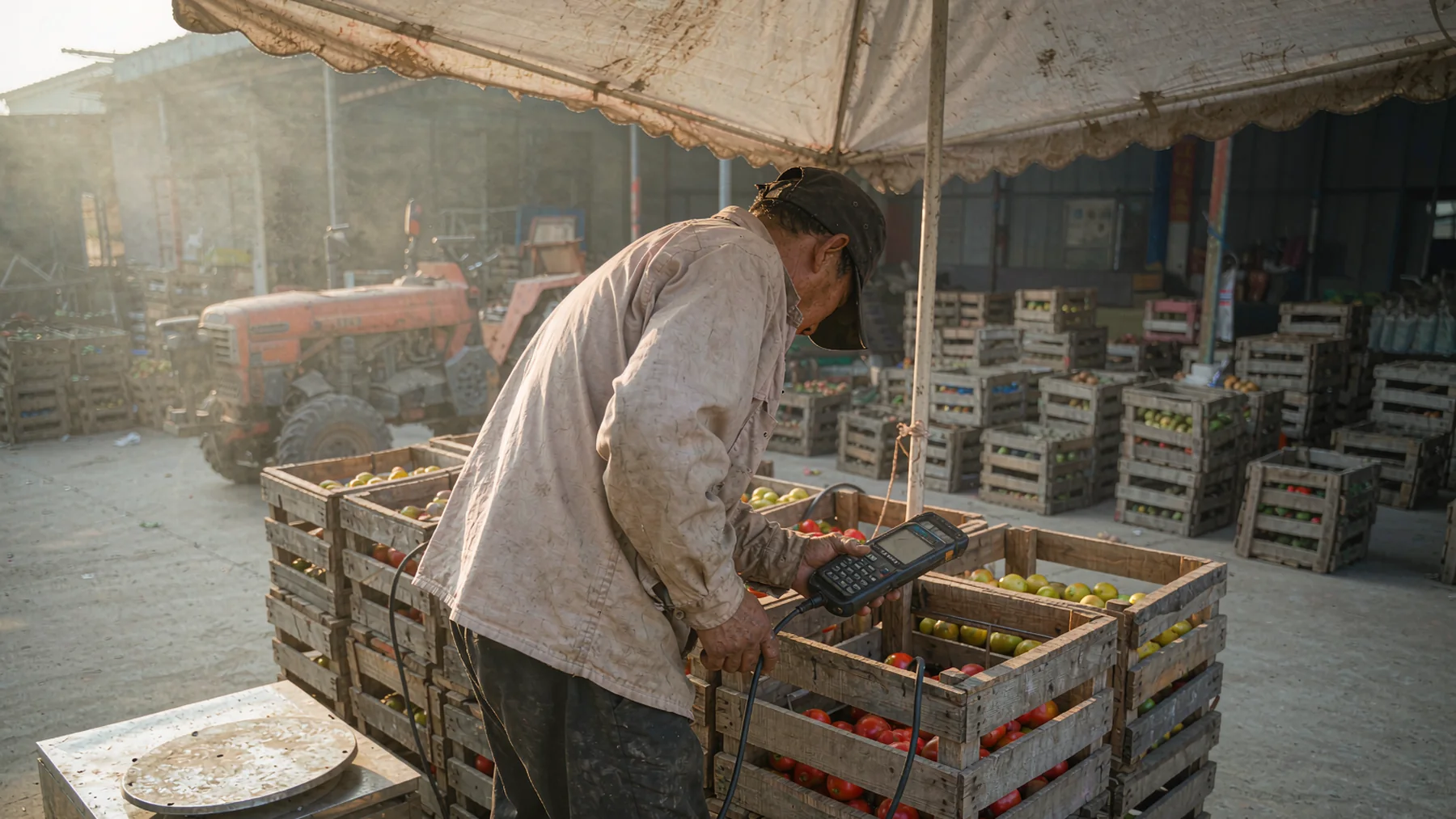
The MES conversation is software; the replacement-rate conversation is hardware. Line-side terminals are dropped from conveyor height onto concrete, wiped with degreaser, carried in and out of 2 °C cold rooms adjacent to food-grade lines, and used in nitrile gloves next to machines. The pattern from plants that stopped replacing devices quarterly: a true industrial-rated Android PDA with a sealed scan engine, removable high-capacity batteries (a hot-swap between shifts beats a charging-dock queue), physical scan keys that work with gloves, and an 810-tested housing. A rugged sled or consumer phone does one season; the right terminal does the contract.
Deployment checklist for the project engineer
- Map every station: which confirmations are one-scan-one-field (wedge candidates) and which feed quality records or move through dead zones (SDK candidates). Do not pilot a single-mode fleet.
- Print the plant's three worst real labels — the oldest, the oiliest, the lowest-contrast — and demand first-pull read rates on those, not on the demo samples.
- Lock the symbology set per station in the SDK app; wrong-code rejections should beep at the trigger, not error in the MES.
- Test GS1-128 AI parsing against actual travelers: (10), (21), (37) landing in the right fields with no operator keystrokes.
- Kill the Wi-Fi mid-scan in the pilot and verify the offline queue replays in order with timestamps intact.
- Verify wedge fallback works on the terminal-emulator station on the same device — one terminal per operator, not one per integration mode.
- Drop-test acceptance: 1.5 m onto concrete, all axes, battery installed, then confirm the engine still reads and the housing seals hold.
- Confirm the OS/SDK support window in writing; a line-side fleet lives 3–5 years, not 18 months.
From station scans to a settled fleet
The searches that end here — "rugged PDA for manufacturing MES integration", "Android PDA with SDK for work order scanning", "keyboard wedge vs SDK barcode scanner" — are rarely about the scanner itself. They are about certainty at a station: the confirmation that validated before it submitted, the transaction that survived the dead zone, the fleet that did not come back on a warranty cart every quarter.
Describe your line — stations, MES client type, worst label, network coverage — and the recommendation comes back as a configured fleet: wedge where wedge is enough, SDK where it is not, batteries and spares sized to the shift pattern. WhatsApp +86 158 8972 3515 — a photo of a scuffed traveler label answers half the spec questions in advance.