Every field-hardware conversation starts with IP rating. It should start with hour six.
Hour six is when the technician is on the last job of the day, the app holds four hours of readings that exist nowhere else, the battery is at 11%, and the sync has to work on the first attempt because the report is due tonight. Almost every field deployment failure we see is a variant of that moment, and almost none of them are caused by water ingress.
The five things that break at hour six
Storage, not battery. A field app that captures photos, signatures and GPS traces fills storage far faster than buyers expect. Budget roughly 1 GB per technician per week for moderate photo capture; higher for inspection work with full-resolution evidence. If the device has no expansion slot, the ceiling arrives sooner than the replacement cycle.
Clock and sequence integrity. Offline records need monotonic, reliable timestamps. Device clocks drift, and a batch that syncs with timestamps out of order produces reconciliation work at the office. This is mostly a software concern, but a device with an unreliable RTC or aggressive time-sync behaviour makes it worse.
Heat, not cold. A tablet left on a dashboard in direct sun reaches internal temperatures well beyond ambient. Charging in that state is where batteries swell. Field teams need a mounting position out of direct sun, and a device whose thermal design tolerates it.
Glare. A 400-nit screen is unreadable outdoors. 700 nits is workable in shade and marginal in direct sun. 1000 nits is comfortable. This single number changes how much time a technician spends walking to find shade, and it is one of the cheapest specifications to get right.
Rain on a capacitive screen. Water droplets register as touches. Wet-finger mode helps; a stylus helps more; a device that expects a gloved hand helps most. If your team works in rain, test this before you buy, not during the first wet week of a rollout.
Offline-first is a software architecture, but it constrains hardware
Apps built for offline operation share a set of assumptions that narrow the device list:
- Local database with a predictable sync engine. The device needs reliable storage and a stable filesystem. Cheap eMMC with slow random writes makes sync windows longer than they need to be.
- Camera as a first-class input. Photo evidence is not optional in inspection, utility and insurance work. Camera quality and file size handling matter more than megapixels.
- Barcode capture as a fallback, not the primary path. Field assets often have no barcode, or a faded one. NFC and manual entry have to work as well as scanning.
- Signature capture. Requires a screen that responds to a stylus or a deliberate finger, and a digitizer that does not produce broken strokes at the screen edge.
A sizing method that takes ten minutes
Ask the software team three questions, then pick hardware from the answers:
- Peak offline duration? A day is normal. Three days changes the storage and battery requirement by a factor of three.
- Peak record size? A reading is bytes; a photo is megabytes; video is out. Multiply by daily volume and by offline duration.
- Sync mechanism? Full re-upload or delta sync. Delta sync tolerates flaky links; full re-upload needs a reliable window and more battery.
With those three numbers, the device requirement almost writes itself, and most of the catalogue drops out.
What we usually recommend, and when we do not
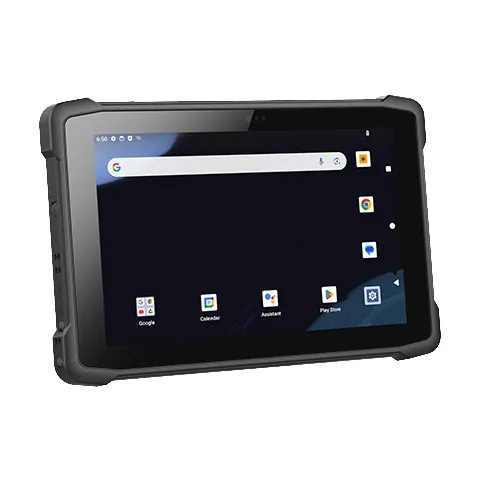
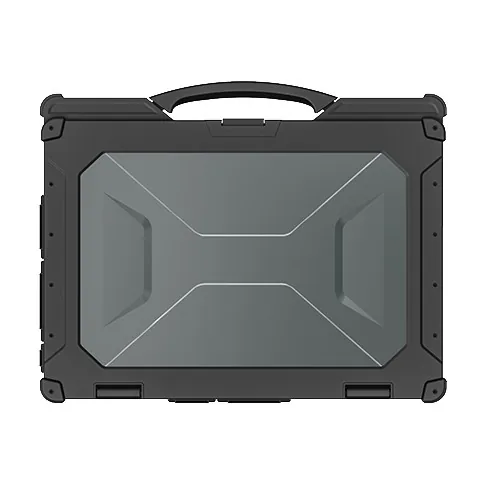
For utility metering and inspection, the 10-inch Windows tablets (M10A, M17J) are the common choice because the client software is a Windows application and the screen is large enough for forms.
For teams that need one hand free, the 8-inch Windows tablets (M80J, M80N) or the M81T with its high-brightness panel are the practical pick. The M105Q and M805Q bring 5G for teams that need live video assist.
Where we push back: when a team asks for 5G because "the field is remote". 4G covers far more ground than buyers assume, and the 5G premium buys nothing if the coverage map does not support it. We would rather sell you a cheaper device that works than a 5G device that impresses in a meeting.
The maintenance reality
Field fleets live or die on the spare ratio. A team of thirty technicians needs two or three spares, not zero — because a device that goes back for repair takes weeks, and the technician does not stop working.
Ask for the spare ratio and the accessory list at the same time as the device quote. A supplier who quotes devices only is a supplier who has not supported a field fleet.
Tell us the offline duration, the record volume and whether the client is Windows or Android, and we will narrow it to two models. If the honest answer is that your app needs a software change before any device will work, we will say that too.