Every yard move is two jobs wearing one work order. In the cab, a driver receives a job, confirms a slot and drives to a stack eighteen rows deep. On the ground, someone stands at a container door and reads a seal, a CSC plate, a chassis number and a stencil of paint that has been rained on for nine years. The cab half wants a screen readable through a windscreen at noon. The ground half wants a device you can drop on concrete and holster one-handed.
Most yards solve this by buying one device for both halves, which is where wrong-slot confirmations and phantom gate-outs come from — not bad software, but hardware asked to do a job it was never mounted for.
This is the case for the split: a rugged vehicle terminal bolted into the cab, an Android handheld PDA on the ground, and one dispatch layer that treats them as two windows onto the same job.
Why one device cannot cover both positions
The two positions fail in opposite directions.
In the cab, the device is furniture. It sits on a mount at 9–36 V DC, is never charged by a human, never dropped, never held. Its enemies are heat — a closed cab is a greenhouse, interior surfaces routinely pass 70 °C — vibration from a tractor crossing expansion joints all shift, and glare that turns an uncoated panel into a mirror. Its user is seated, gloved, often in polarised sunglasses, glancing for two seconds.
On the ground, the device is a tool. Held at 1.2–2.5 metres at a door that is wet, dirty and curved. Dropped, rained on, asked to read a seal barcode the size of a postage stamp on a surface that flexes.
Force one device to do both and the failure is predictable. A handheld left on the dashboard cooks its cell in a fortnight and dies two-thirds through a shift — the "scanner is charging, ten minutes" queue at the gate. A vehicle terminal carried to the door has no battery at all, so it stays plugged in and the door checks get done from memory at shift end.
What "one dispatch" has to mean in software
Two devices are only cheaper than one if they do not create a second record. Specify these before the purchase order:
- One job identity. The move, container and work order must be the same object on both screens. A terminal writing
MOVE-8841and a handheld writing8841/Ahave already failed. - Session handoff, not re-entry. A cab confirmation must pass to the handheld by job ID, scanned or tapped, never retyped.
- An offline queue with provenance. Yard Wi-Fi dies at the fence and private LTE has holes between stacks. Each queued record must say which device captured it, where and when — the dispute six weeks later is always about which screen the number came from.
- Idempotent transactions. The same move replayed after a reconnect must collapse to one record. This is the top cause of duplicate gate transactions in mixed yards, and it is a server design problem, not a hardware one.
- One app package. Two vendors, two apps, two update cadences is three problems. If both devices cannot run the same build, the fleet drifts apart within two quarters.
The vehicle terminal: what the mount actually demands
Five lines decide whether a terminal survives a yard, and none are the screen size.
- Power and ignition sense. 9–36 V DC with load-dump protection, ignition-sensed boot and a controlled shutdown that does not corrupt the local queue. A terminal needing manual shutdown will be left on and flat by morning.
- Vibration, not drop. Drop ratings are irrelevant for a bolted device. Ask for MIL-STD-810H vibration figures and the bracket's own rating — mounts fail before computers do.
- Polarised-sunglass legibility. Some panels go near-black at 45° behind a polarising lens, and no brightness figure predicts it. Test the actual panel with actual sunglasses.
- Thermal headroom. −20 to 60 °C is the entry ticket; what matters is whether the panel derates at 65 °C ambient in a closed cab. Ask what happens at the top of the range.
- Voice, if dispatch is voice. A console carrying PoC or DMR beside the dispatch screen removes a box from the cab and a cable from the loom.
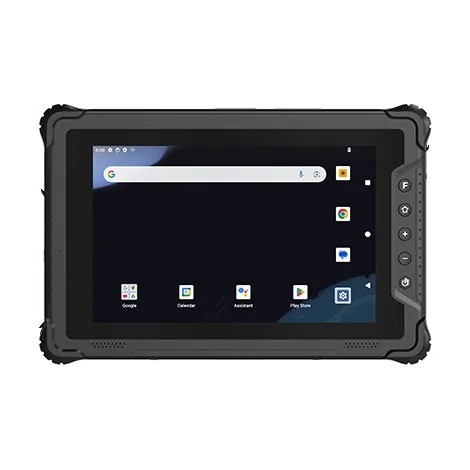
For an Android fleet, a 10.1-inch panel such as the BV-V10T-10 is the practical ceiling of cab space; the 8-inch BV-V80T fits reach stackers where a 10-inch screen blocks the mirror; the BV-P11 console is the option when voice and dispatch share one screen. Windows or Linux units (BV-V80J, BV-V10J) still suit yards running a legacy system that was never ported — check that against a five-year support window before committing.
The handheld: the three metres the terminal cannot see
The ground half is where data quality is won, and the reads are hostile:
- Painted container numbers on corrugated steel: curved on two axes, faded, rust-streaked, often over-painted. ISO 6346 check-digit validation catches a bad read, but the imager has to supply something validatable.
- Seal barcodes: small, curved around a bolt seal, read at 40–60 cm in whatever light the yard offers.
- CSC plates: stamped stainless, low contrast, often the only durable identifier left on an ageing box.
- Reach-stacker work: the same tags from 8–15 metres, at an angle, in wind.
- Reefer plugs: −25 °C, condensation the moment the door opens, gloves too thick for a capacitive screen.
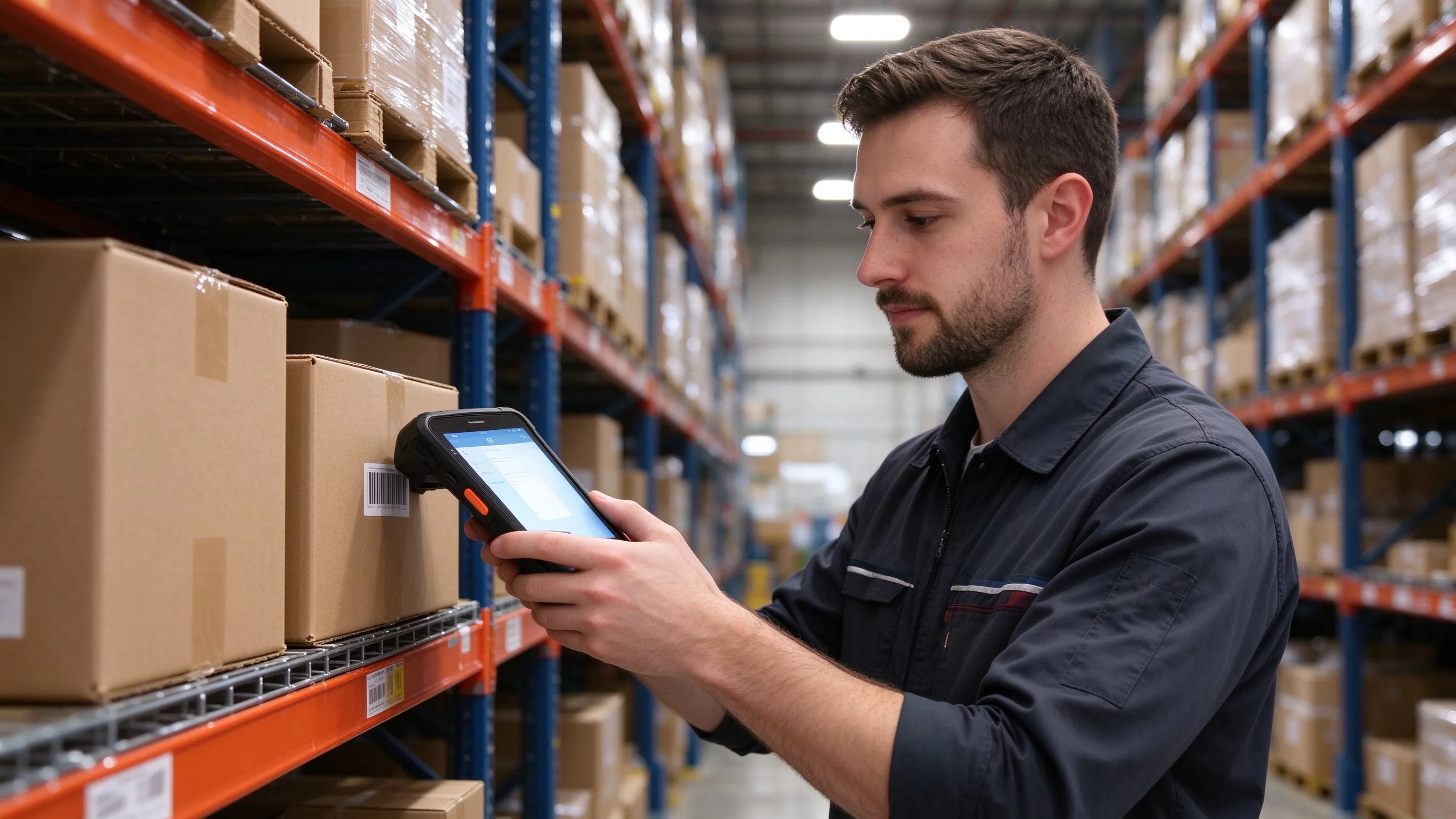
That is why the handheld is a scanning device first and a computer second: an industrial 2D imager with a hardware trigger on the grip, a glove-and-wet-finger display, IP67 sealing, a 1.5-metre drop rating, and a swappable pack. A 6-inch full-touch Android PDA such as the BH-F2 covers the profile; where containers or chassis carry tags, a UHF handheld like the BH-C6100 adds a second read mode on the same job.
One costly warning: never park the handheld in the cab as a backup. A lithium pack stored at 70 °C loses capacity permanently, and the backup will be the device that fails when the primary is already at the gate.
Spec sheet: which half needs what
| Decision | Vehicle terminal (cab) | Handheld PDA (ground) |
|---|---|---|
| Power | 9–36 V DC, ignition sense, load-dump protected | Hot-swap pack sized for a full shift at −20 °C |
| Mounting | Locking RAM/VESA bracket, MIL-STD-810H vibration | Holster plus vehicle dock, not a loose cable |
| Display | 700–1000 nit, anti-glare bonding, tested through polarised lenses | 5–6 inch, glove and wet-finger touch |
| Sealing | IP65 at the mount | IP67, 1.5 m drop onto concrete |
| Scanning | Optional wedge-friendly imager for occasional cab scans | Industrial 2D imager, hardware trigger, long-range option |
| Thermal | −20 to 60 °C, derating understood at the top end | Cold-store variant or heated pack for reefers |
| Radios | Wi-Fi 6 plus private LTE roaming, GPS for slot confirmation | Same, plus NFC driver ID and optional UHF |
Integration checklist before the pilot
- Map every scan point in one move — cab entry, slot confirm, door, seal, chassis, gate-out — and name the owning device. An unowned point is where the error lands.
- Mount a demo unit in your worst cab: no shade, oldest bracket, noisiest loom.
- Test the panel through polarised sunglasses at the real angle, at noon, windscreen in place.
- Read five real seals at door height with the box hosed down — not bench labels.
- Kill the network mid-transaction on both devices, reconnect, and confirm exactly one record per move reaches the host.
- Verify handoff in both directions with the job ID never retyped.
- Treat mount, loom and fuse tap as one system; a good terminal on a bad bracket is a month-four warranty claim.
- Write the OS and patch support window into the contract — a device that stops receiving patches in year three is an unbudgeted migration.
The economics of getting it right
A split fleet looks like more hardware. It is usually less: one terminal per powered cab, one handheld per ground team rather than per driver, no charging queue at the gate, no spare slowly cooking in a dashboard tray. What it removes is reconciliation labour — the re-scan, the keyed seal number, the wrong-slot move reversed next shift. Teams searching for the best rugged PDA for warehouse and yard scanning usually discover the handheld was never the whole answer; the mount was.
Send the layout rather than a product list — stack height, moves per shift, whether boxes carry tags, the coldest reefer you handle, how dispatch is voiced — and the reply is a configured mixed fleet with the handoff requirements your software team needs. WhatsApp +86 158 8972 3515. A photo of your cab and the door your crew actually works at says more than a spec sheet.